Architecture visualisation studio · Client project
An AI rendering pipeline behind an interface an architect can drive.
AI rendering studio for architects. Upload a scene and its ID map, assign materials segment by segment, receive a photorealistic 4K render. We designed the product and the generation pipeline behind it, Arabic first.
- Product
- Web app · Architecture
- Role
- Product designer and AI pipeline engineer
- Scope
- ComfyUI pipeline design, wizard architecture, Arabic UI, agentic orchestration next
- Platform
- Web application, Arabic
- Year
- 2026 · In development
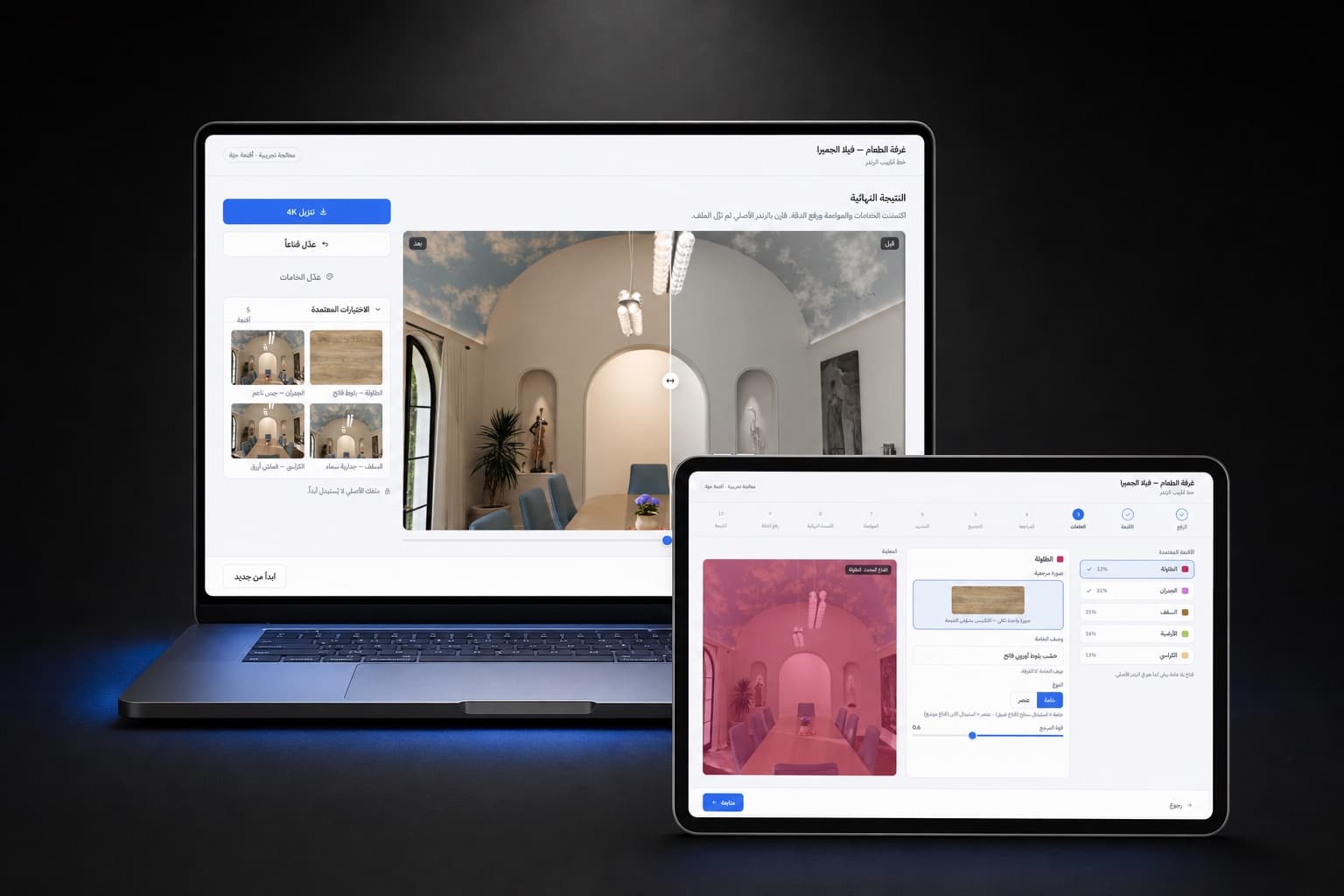
- ~7 h → 1–2 h
- One 4K material render, on a single local GPU
The situation
An AI rendering studio for architecture visualisation studios, for an anonymous client. Upload an ID map pass and a scene image, walk through a guided wizard, and receive a complete photorealistic 4K render with every material applied. We designed both sides: the interface in Figma and the ComfyUI generation pipelines underneath.
The problem
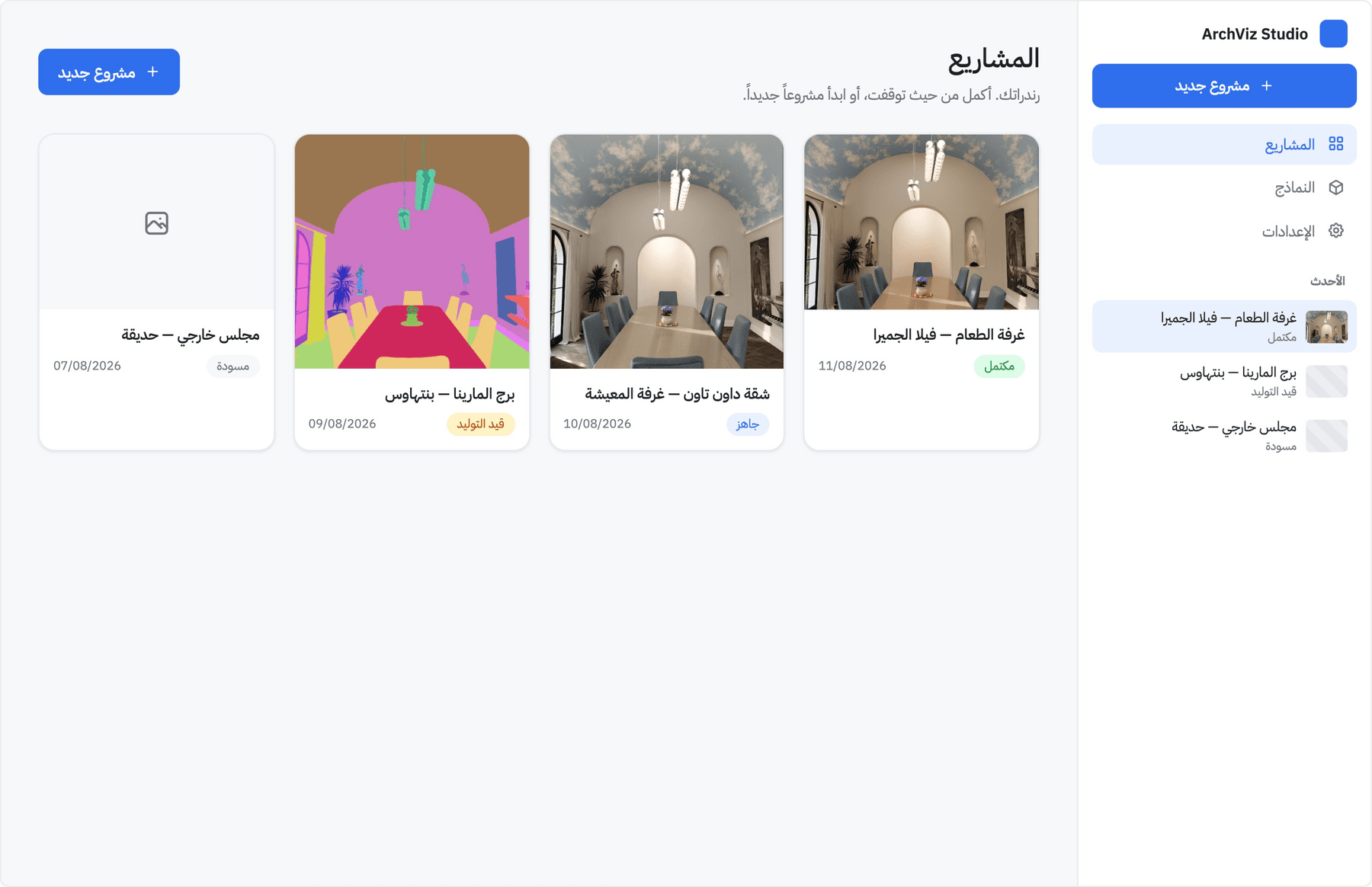
Photorealistic material rendering is where visualisation time goes. Rebuilding materials in 3D and re-rendering a single 4K scene takes hours per iteration. Generative pipelines can compress that dramatically, but raw ComfyUI is a node graph only technicians can drive. The product challenge was to put a studio-grade AI pipeline behind an interface an architect can use without knowing what a node is.
From node graph to wizard
The hardest design problem was a translation, not a screen: mapping each ComfyUI flow into steps and inputs, and deciding what the person controls and what stays hidden. Every wizard step wraps a full generation flow, with its prompts and parameters masked behind a handful of decisions a designer cares about.
Upload.
The scene image and its ID map, checked as a pair. The ID map does the heavy lifting: segments are detected automatically and become the working surface for everything after.
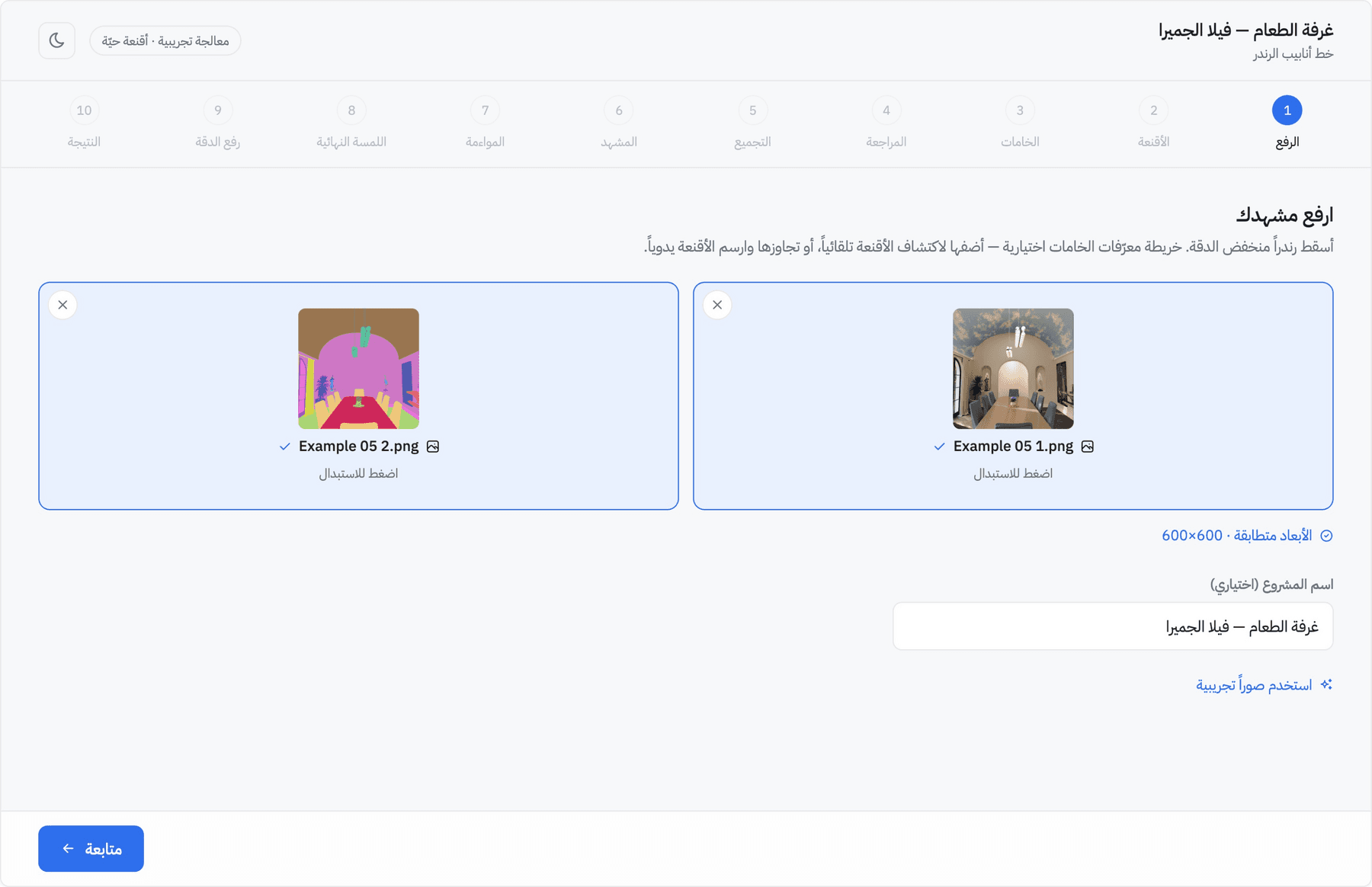
Materials, segment by segment.
Each detected segment (table 12%, walls 31%, ceiling 21%, floor 16%, chairs 13%) gets its own assignment: a reference image, a material description in plain language, a material or element toggle, and a reference-strength slider. A red overlay shows exactly which surface is being edited. No masks to paint, no prompts to write.
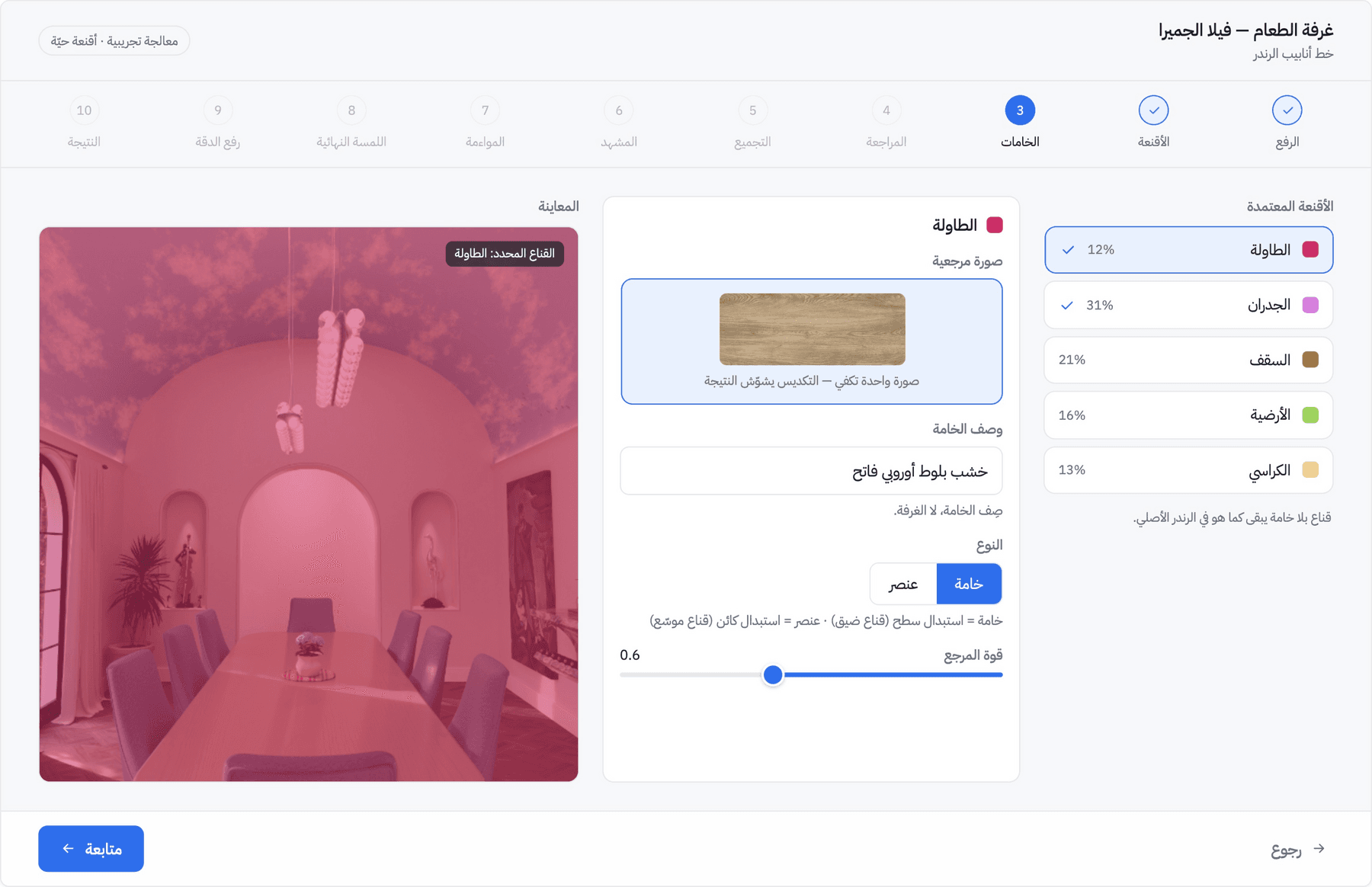
Result.
A before-and-after slider over the final render, the approved material list with thumbnails, per-mask editing for corrections, and 4K download.
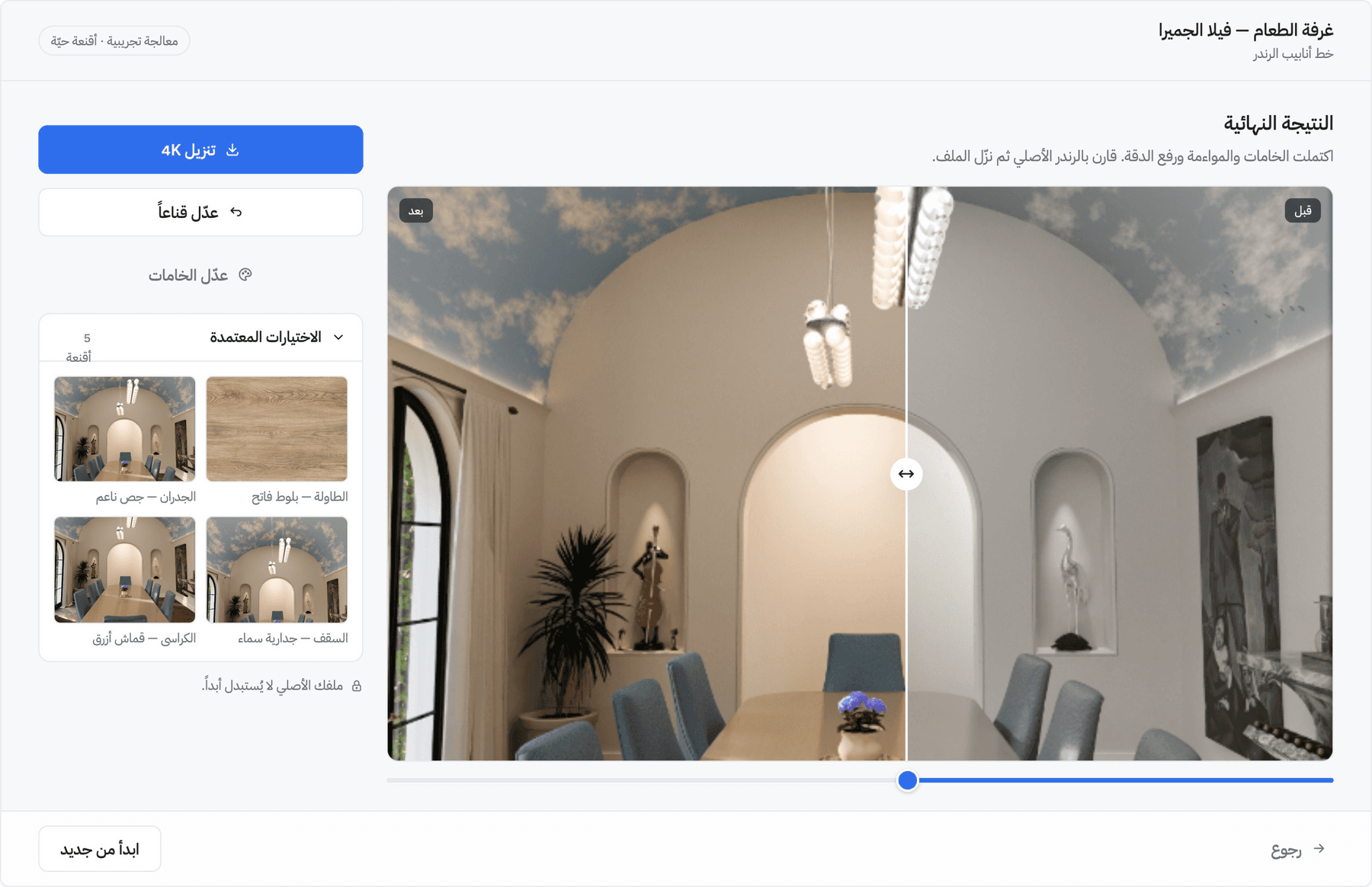
Why a wizard, and what comes next
Each flow validated on its own.
The step-by-step structure was a deliberate first-phase decision. A wizard gives every ComfyUI flow its own controlled surface, with its own inputs, states and failure modes.
Then an agent conducts it.
With the flows proven, the product is moving to a full agentic orchestration: an AI conductor that can skip, reorder or spin up any step as the scene demands, collapsing the wizard into a conversation about intent.
The outcome
A realistic 4K material render that took about seven hours the traditional way now completes in one to two hours on a single local RTX 5090. That changes how studios present options to clients. The pipeline and the product are in active development toward the agentic flow.
Services in this project
What we did
- AI product designChat, copilot, agent and generative interfaces people can follow and correct.→
- Dynamic design systemsComponents, states and rules for interfaces a model assembles at run time.→
- Arabic and RTL designRight-to-left and bilingual interfaces, designed in Arabic.→
- Full-stack developmentWe build what we design, front end and back end.→
More work
Related case studies
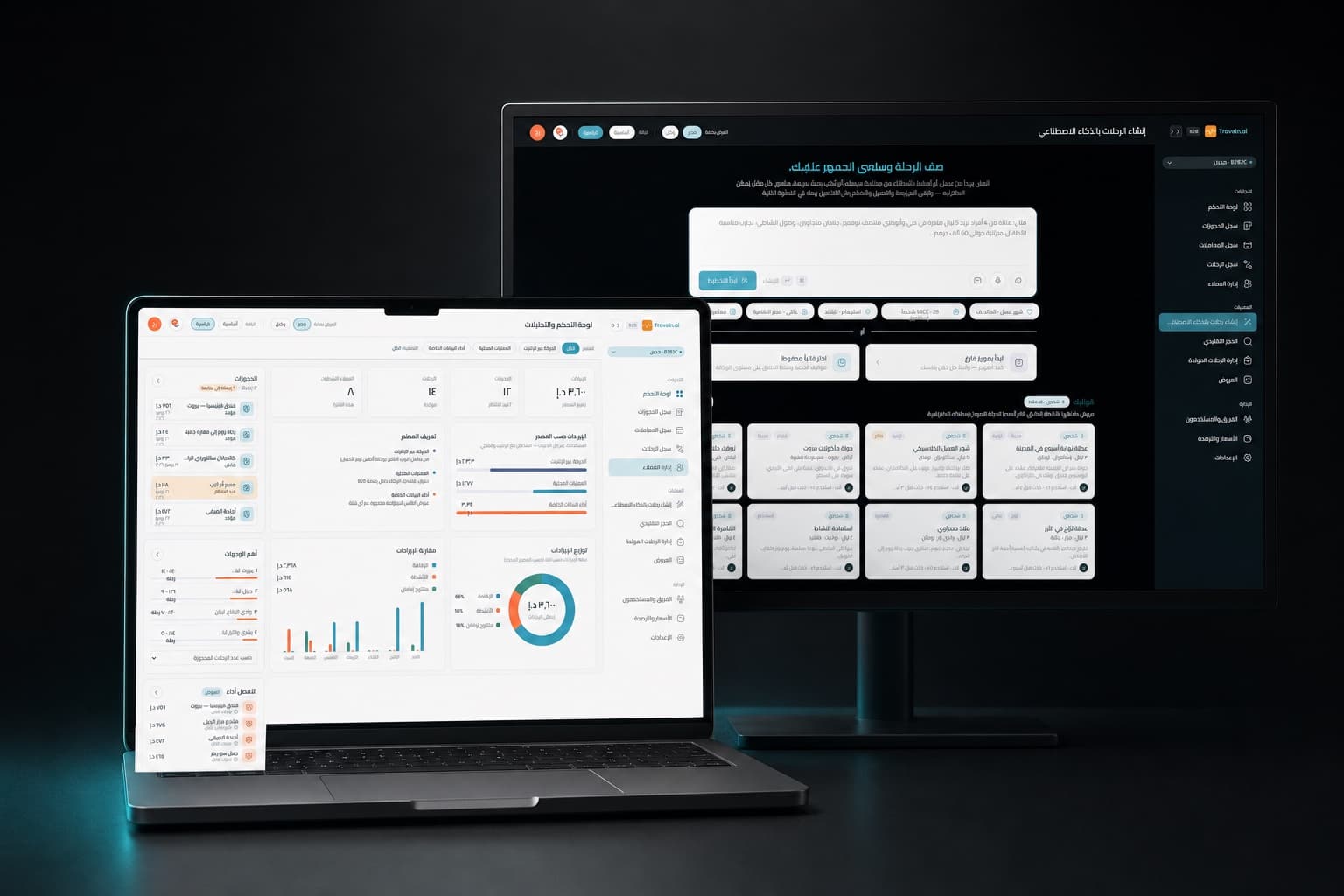
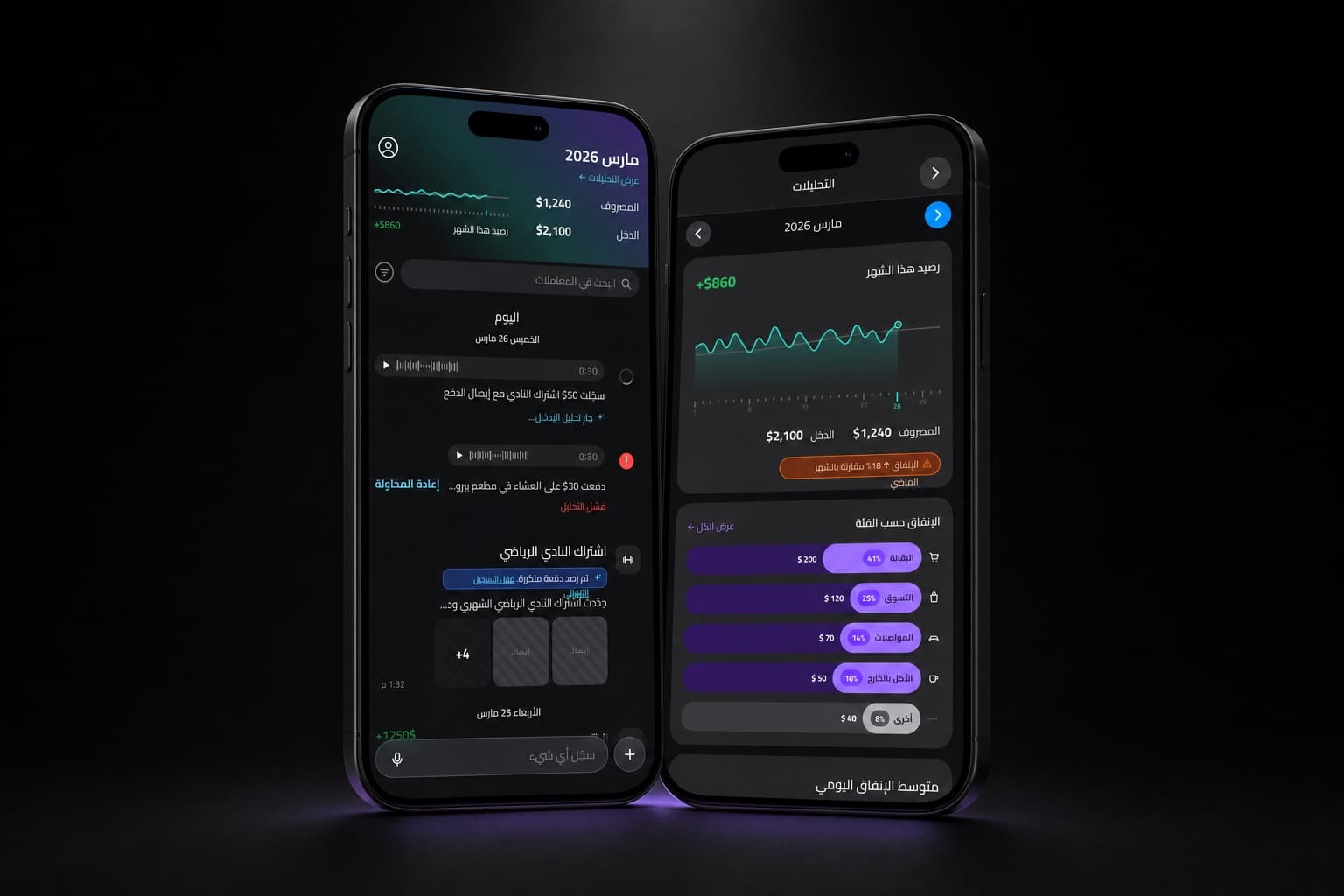
Have a product like this?
We reply by email to set up a call. Most projects start with a short conversation and a scoped proposal.